Hold Alt and press Tab.

Welcome

Your fingers never emigrated.

You moved to a Mac. Or work keeps you on Windows all day, with the Mac sitting right next to it. Either way, your muscle memory stayed behind. WinExpat brings the whole reflex set over and teaches you the local dialect while you work.

Download for macOS v1.1.0 · 2.3 MB · free

Native Swift, no account, no telemetry.

This page is a working Mac. Press the keys shown in the bar above, click them, or scroll and watch.

Documents
FavouritesDesktopDocumentsDownloadsApplications
  • Residency permit.pdf
  • Phrasebook.md
  • Old habits
  • Customs form.txt
  • Screenshots
  • Keyboard.png
Old town.jpg
A row of colourful old-town merchant houses on a cobbled square.
Downloads
  • WinExpat-1.1.0.dmg2.3 MB · Disk image
  • Old town.jpg1.8 MB · JPEG
  • Boarding pass.pdf212 KB · PDF
  • Things I miss about the taskbar.txt1 KB · Text

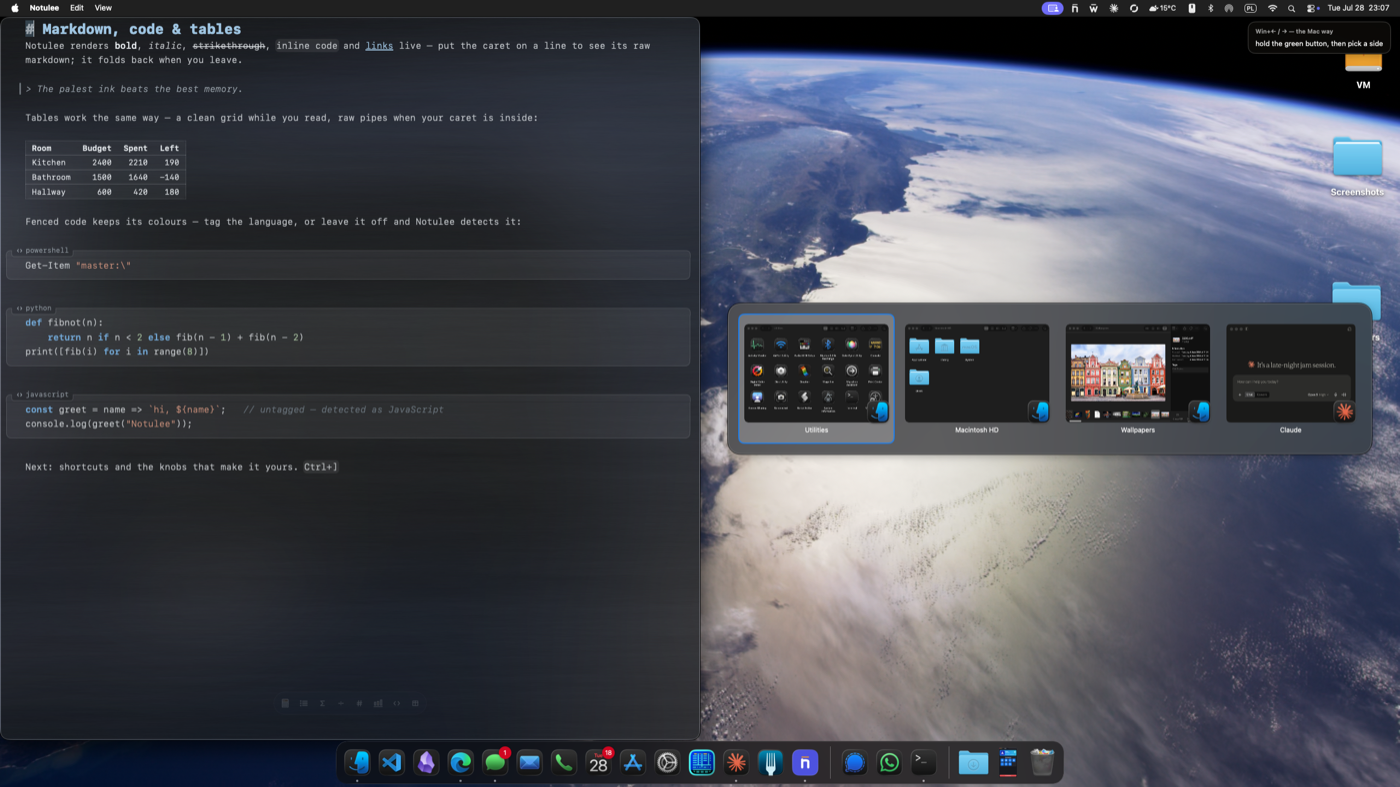
The four reflexes, on a real Mac

Captures of WinExpat itself. The desktop above runs the same four, step by step, from the bar under the menu.

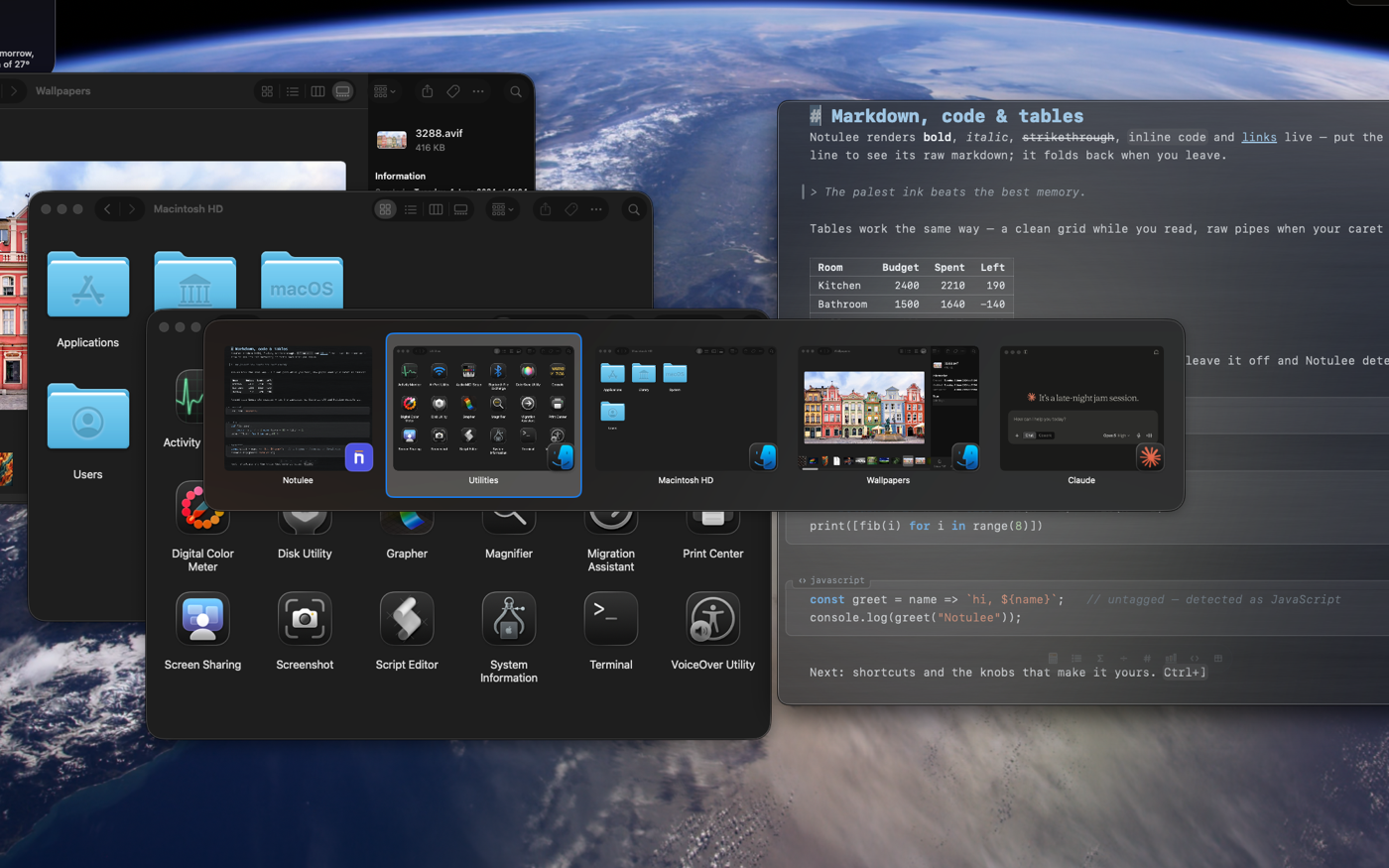
The WinExpat switcher open over several Mac windows, with a live preview of each.
Alt+Tab, on macOS, with live previews.
A window snapped to the left half while snap assist offers the remaining windows for the right half.
Snap left, and snap assist offers you the other half.
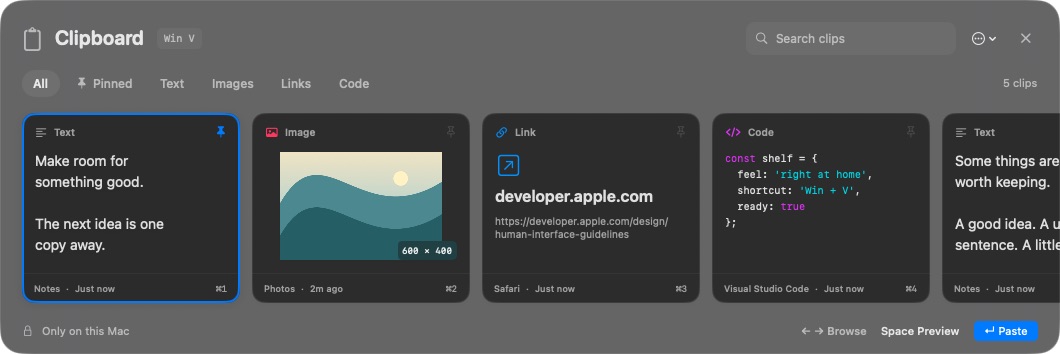
The clipboard shelf with text, image, link and code clips, search and filters.
Your recent copies, ready for another turn.
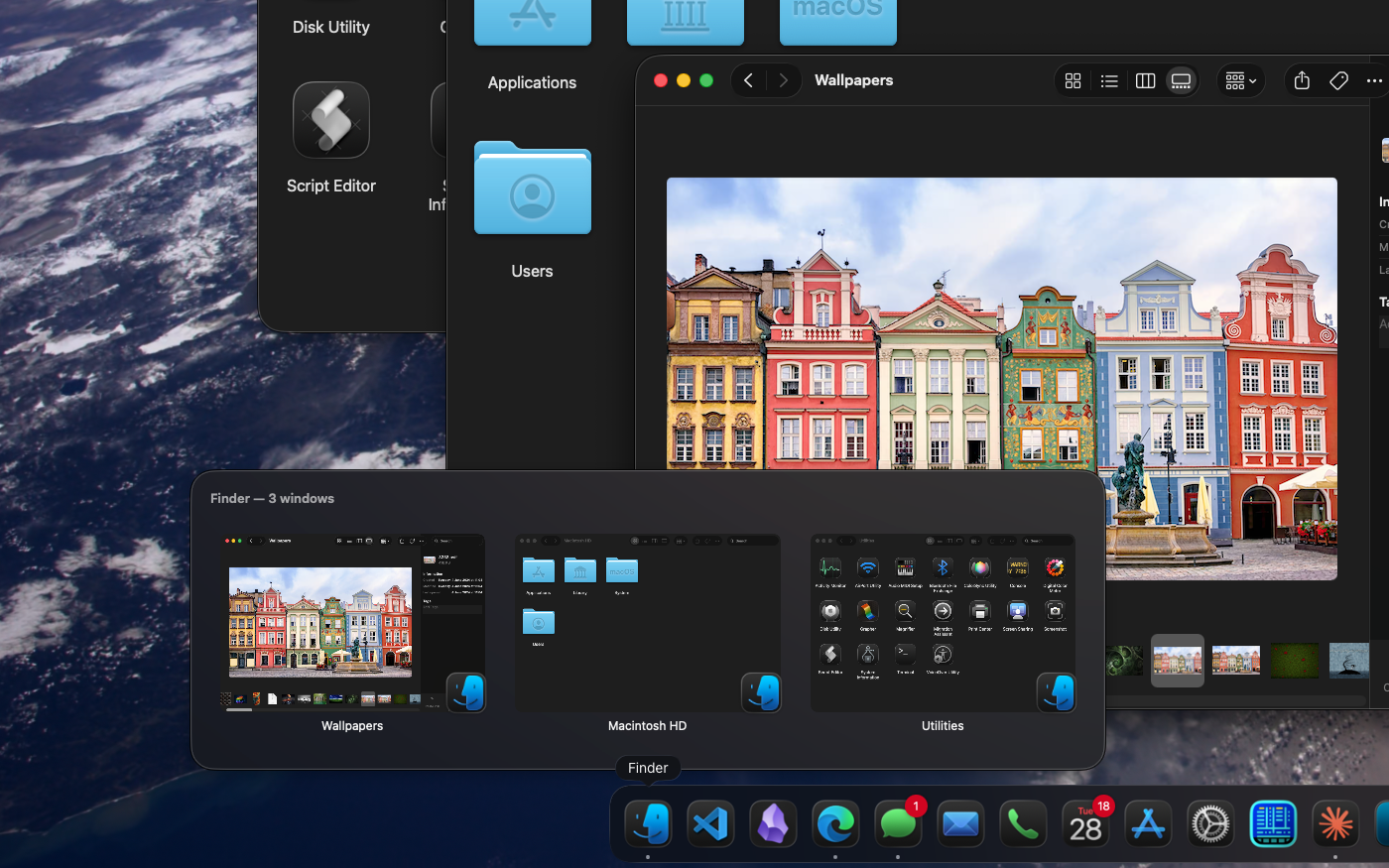
Hovering a Dock icon shows live previews of that app’s windows under a count.
Every window of the app, counted and previewed.
Phrasebook

Twenty-eight reflexes, both languages

Square keys are what your hands do. Rounded keys are what the Mac wanted all along. WinExpat handles the first column and teaches you the last, and every row is a checkbox in Settings, so take only what you need.

Got a keyboard in front of you? Press Alt, Ctrl or ⌘ and the rows it belongs to light up.

Switching & windows

What your hands do What it does The Mac way
Alt Tab Window switcher with live previews ⌘ ⇥switchesapps, ⌘ `cycleswindows
←/→ Snap the window to half the screen holdthegreenbutton,pickaside
↑/↓+ ←/→ Quarter snapping, with snap assist no native equivalent (you’re welcome)
Alt F4 Close the window ⌘ Wcloses, ⌘ Qquits
Alt Space Full window menu: move, snap, full screen, close no native equivalent
Double-click Title-bar Maximize the window ⌥clickthegreenbutton

The key rides again

What your hands do What it does The Mac way
D Show the desktop fn F11
E Open a file window ⌘ NinFinder
L Lock the screen ⌃ ⌘ Q
M Minimize all windows ⌥ ⌘ M
1…9 Open the nth Dock app no native equivalent
Tab Task View, all windows ⌃ ↑MissionControl
V WinExpat clipboard shelf: search, pin, and paste no native equivalent to WinExpat’s shelf
PrtScn Screenshot, straight to file ⇧ ⌘ 3
Esc Every remap off in one press — same chord brings them back no native equivalent

Editing & tabs

What your hands do What it does The Mac way
Ctrl A/C/X/V Select all, copy, cut, paste (terminals keep Ctrl+C) ⌘ A/C/X/V
Ctrl ←/→ Jump word by word ⌥ ←and ⌥ →
Home/ End Jump to line start and end ⌘ ←and ⌘ →
Ctrl Home/End Start and end of the document ⌘ ↑and ⌘ ↓
Ctrl +/-/0 Zoom in, out, back to 100% ⌘ +/-/0
Ctrl+scroll Zoom in and out pinch,or ⌘+
Ctrl F4 Close the document or tab ⌘ W
Ctrl ⇧ Esc Task Manager (Activity Monitor) ⌥ ⌘ Escforforce-quit
Tabindialogs Move focus between buttons and controls, like Windows “Keyboardnavigation”inSettings —wecarrytheswitch
Ctrl⇄ ⌘ Swap the two keys outright, system-wide — the all-in option Settings›Keyboard›ModifierKeys

Files, the Windows way

What your hands do What it does The Mac way
F2 Rename the selected file Return
Enter Open the selected file ⌘ Oor ⌘ ↓
Ctrl Xthen Ctrl V Cut files, move them ⌘ C,then ⌥ ⌘ V
Install WinExpat

A minute to settled

Three steps, no paperwork. Unusual, for an immigration process.

  1. Download and open

    One 2.3 MB disk image. No wizard, no Next-Next-Finish, and nobody asks you to create an account.

  2. Drag to Applications, open

    It’s signed and notarized, so Gatekeeper lets it through. If your Mac still frowns, right-click and choose Open. First dates are always a little awkward.

  3. Grant two permissions

    Accessibility for switching, snapping and hotkeys. Screen Recording for the live window previews. Both prompts appear on first launch; your reflexes work the moment you say yes.

Download v1.1.0 · macOS · 2.3 MB

or press Return, like any default button

Lives in the menu bar. Starts at login, unless you’d rather it didn’t. To uninstall, drag it to the Trash and that’s it. No residue, no hard feelings.